

Short answer
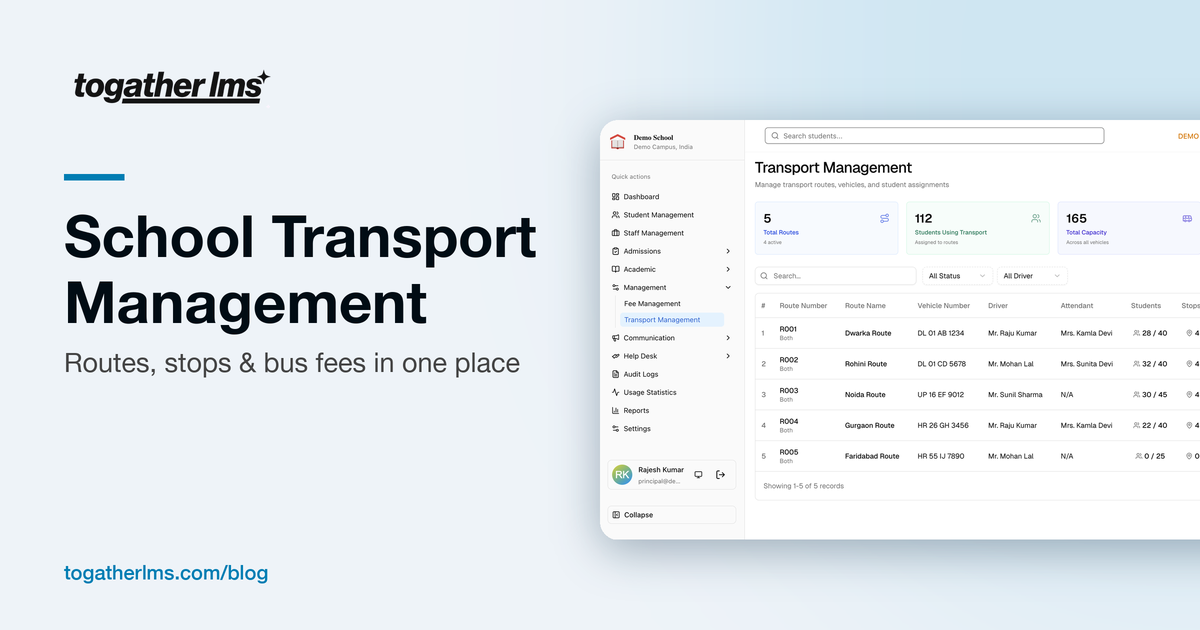
School transport runs smoothly when routes, stops, timings, vehicles, and student assignments are kept in one system, seat capacity is visible before you assign a student, stop-wise fees are linked to fee collection, and parents can see their child's route and stop without calling the office.
For many schools, transport is the department that generates the most phone calls. Which bus is my child on? What time is pickup? Why was there a transport fee on the invoice? Is there space on the route near our new house?
Most of these calls happen because transport information lives in a separate register or spreadsheet that only one person understands. Here is how to organise it properly.
Common school transport problems
- Route lists are kept on paper or in a spreadsheet only the transport in-charge can read
- Buses get overbooked because nobody checks capacity before adding a student
- Transport fees are calculated separately and do not match the fee invoice
- Parents do not know their child's stop timing and call the office daily
- When a driver or attendant changes, the information is not updated anywhere
How to set up school transport management
Create routes with direction and status
Define each route, whether it is a pickup or drop route, and mark it active or inactive. Inactive routes stay in the system for reference without cluttering daily work.
Assign vehicles, drivers, and attendants
Link each route to a vehicle and its capacity, plus the driver and attendant responsible. When staff change, update it in one place.
Add stops with timings and fees
List every pickup and drop stop with its time and, if your school charges by distance, a stop-wise fee. This is what parents care about most.
Assign students to routes and stops
Assign each student to a route and a specific stop. Check seat availability before assigning so buses are never overbooked.
Share details with parents
Show the route, stop, and timing in the parent app. Most transport-related calls to the office disappear once parents can look it up themselves.
Link transport to fees
Transport fees are one of the most common sources of billing disputes. When stop-wise fees are part of the same system as fee collection, the invoice always matches the route the child is actually on. If a student changes stops mid-year, the fee follows. Read more in our guide to school fee management.
What to look for in school transport software
- Route and vehicle management with drivers and attendants
- Stops with timings, stop-wise fees, and student counts
- Real-time seat availability when assigning students
- An overview of active and inactive routes and vehicle utilisation
- Route and stop details visible to parents
- Transport linked to each student's profile and fee record
How ToGather LMS handles transport
ToGather's transport module covers routes, vehicles, stops, timings, capacity, and stop-wise fees, all linked to the student profile. Parents see their child's transport details in the parent app, and transport concerns can be raised as tickets instead of phone calls.
Fewer transport calls, starting next term
See how routes, stops, and transport fees work together in ToGather LMS.
Get in Touch